
1. Verify guest IDs through the online check-in link
Before your arrival, you’ll receive an email to complete your online check-in.
All guests must confirm their identity — just make sure you have all IDs or passports ready.
You can also send an invite to the other guests in your booking so they can fill in their details directly.
2. Improve your stay
Make your experience even better!
During the online check-in process, you’ll have the chance to upgrade your room, add extra services, or personalize your stay — all in just a few clicks.
3. Complete your payment
To continue, you’ll need to pay any outstanding balance of your reservation.
If you’ve already paid your agency for the accommodation, you may still see a small pending amount during this step, which corresponds to the Resort Fee.
A pre-authorization will also be made as an incidentals deposit, released within 7 days after check-out once your room has been verified.
4. Download the Digital Key App to get your room key
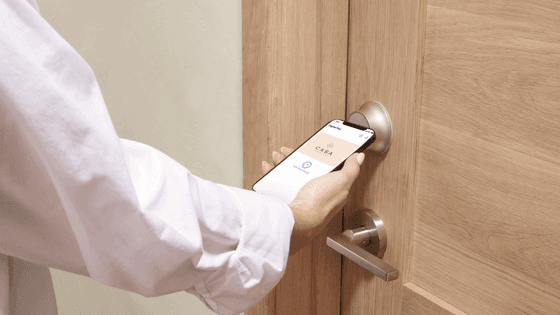
In the app, you’ll find your room number and digital key, which gives you access to both the hotel entrance and your room.
You can also share it with the other guests in your booking.
5. Access your Room with the Digital Key
Once your room is ready, you’ll receive a notification. From there, simply tap “Find my room” to see detailed directions on how to reach it. You’ll be able to locate your room easily and access it by holding your smartphone close to the door lock.